 Mopup
MopupMopup › Guides › Mopup vs CleanMyMac
Mopup vs CleanMyMac: an honest comparison
CleanMyMac, made by MacPaw, is the best-known Mac cleaner. Mopup is a newer, smaller app that does many of the same jobs, plus the cleanup people who write code need. We make Mopup, so we're not neutral. We've tried to be fair anyway, and this page says plainly where CleanMyMac is the better choice.
The short answer
Choose CleanMyMac if
- you have one Mac and want the lowest price: $14.95 a year for the basics
- you want malware removal and app updates in the same app
- your Mac runs macOS 14 or older
Choose Mopup if
- you have more than one Mac, since one plan covers them all
- you'd rather pay once: $39 if you buy by ($59 after) for every Mac you own
- you write code, and want merged worktrees, forgotten dev servers and Docker cleaned up too
What you'll pay
CleanMyMac comes in two plans. Essential Trio covers cleanup, the uninstaller and duplicates. All-in-One adds malware removal, speed tools, Space Lens and cloud cleanup. Mopup's plans include everything Mopup does, and cover every Mac you own.
| Mopup | CleanMyMac Essential Trio | CleanMyMac All-in-One | |
|---|---|---|---|
| A year, one Mac | $24.99 | $14.95 | $29.95 |
| A year, two Macs | $24.99 | $23.95 | $47.95 |
| A year, five Macs | $24.99 | $47.95 | $95.95 |
| Once, one Mac | $39 | Not sold | $79.95 |
| Once, two Macs | $39 | Not sold | $127.95 |
| Once, five Macs | $39 | Not sold | $255.95 |
| Three years, one Mac | $74.97 yearly, or $39 once | $44.85 | $89.85, or $79.95 once |
Mopup's lifetime license is one payment of $39 if you buy by ($59 after), with every update for good. Both apps refund you within 30 days, and CleanMyMac also sells monthly plans, from $3.95 a month.
For companies, Mopup's team plans cover 5 people for $99 a year or 10 for $179, each on every Mac they work on. CleanMyMac charges by the Mac.
What each app does
| Mopup | CleanMyMac | |
|---|---|---|
| Junk, caches and logs | Yes | Yes |
| Uninstall apps and their leftovers | Yes | Yes |
| Duplicate files and similar photos | Yes | Yes |
| Large files | Yes | Yes |
| What's slowing your Mac down | Yes | In All-in-One |
| Malware removal | No | In All-in-One |
| Updates for your other apps | No | Yes |
| Cloud storage cleanup | No | In All-in-One |
| Merged git worktrees | Yes | No |
| Dev servers left running | Yes | No |
| Docker cleanup | Yes | No |
| Macs per plan | Every Mac you own | 1, 2 or 5 |
| Works on | macOS 15 or later | macOS 11 or later |
| Notarized by Apple | Yes | Yes |
Where CleanMyMac is the better choice
- It's cheaper for one Mac. Essential Trio is $14.95 a year for cleanup, the uninstaller and duplicates.
- It does more than clean. All-in-One also removes malware, keeps your other apps up to date, tidies your cloud storage and maps your disk with Space Lens. Mopup doesn't remove malware, update apps or touch cloud storage.
- It runs on older Macs. CleanMyMac needs macOS 11 or later. Mopup needs macOS 15.
- It comes from an established company. MacPaw has made Mac apps for over a decade and offers support around the clock.
- You can pay by the month. Monthly plans start at $3.95.
What Mopup does well
- One plan covers every Mac you own. Your laptop, your desktop and the old Mac mini all use the same license key, and nothing counts them.
- Paying once costs less. The lifetime license is $39 if you buy by ($59 after) for all your Macs. CleanMyMac's one-time license is $79.95 for one Mac.
- You see what you're removing. Every item says what removing it means. Anything you might want back is marked Your call and left unticked, and files and apps you pick go to the Trash.
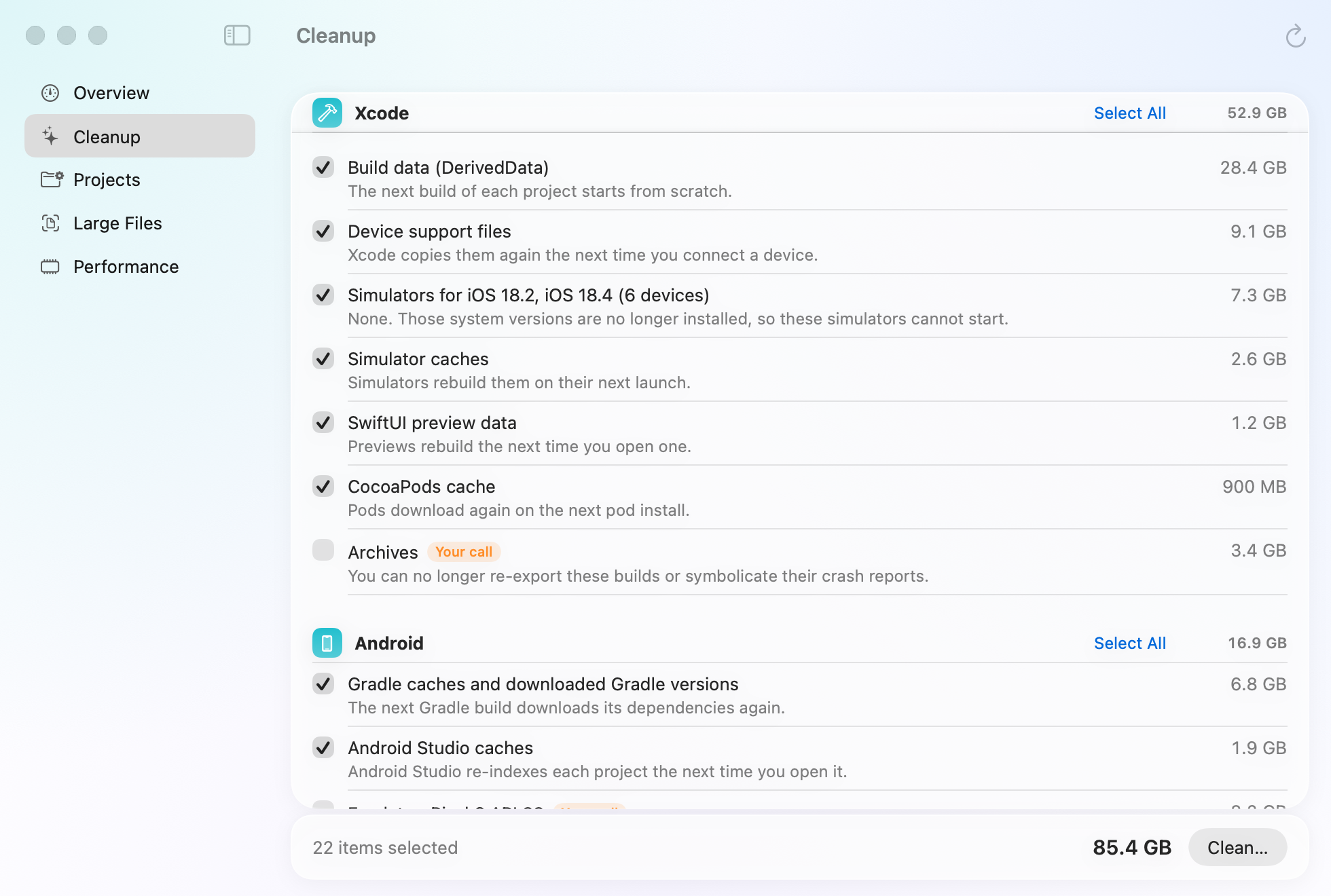
- It cleans up after developers. Merged git worktrees, dev servers left running, Docker, and build caches from Xcode, Android Studio, Node and more, with sizes that stay true when bun and pnpm share files. See what it finds.
- It's private by design. No account and no analytics. Scans happen on your Mac, and your license is checked there too.
- You can try it without a card. Scanning is free, and so is your first 2 GB of cleaning.
Questions
Is there a free CleanMyMac alternative?
Mopup is free to scan and cleans your first 2 GB free, with no account and no card. After that, cleaning needs a plan. If you'd rather do the job yourself, our guides show how to clear caches, uninstall apps completely and find duplicate files by hand.
Can I use Mopup on more than one Mac?
Yes. A personal plan covers every Mac you own: enter the same license key in Mopup on each one. For several people, a team plan covers 5 or 10.
Does Mopup protect against malware?
No. Mopup frees up space and finds what's slowing your Mac down. macOS has its own malware protection, XProtect, which Apple keeps up to date. If you want a separate malware scanner, CleanMyMac's All-in-One includes one.
Can I try Mopup and keep CleanMyMac?
Yes. Scan your Mac with both and compare what each one finds before you decide.
What happens if I stop paying for Mopup's yearly plan?
Cleaning stops when the year you paid for ends, and scanning keeps working. If you'd rather not renew at all, the lifetime license is a single payment.
CleanMyMac's prices and features are from macpaw.com, checked on October 27, 2026. Prices are in US dollars, and tax may be added at checkout. They may have changed since. CleanMyMac is a trademark of MacPaw.