 Mopup
MopupMopup › For developers
Clean up after your builds and coding agents
Build tools cache everything. Coding agents start dev servers and leave git worktrees behind. Docker keeps growing. Mopup finds all of it on your Mac, says what each item is, and removes only what your tools can rebuild or what you pick.
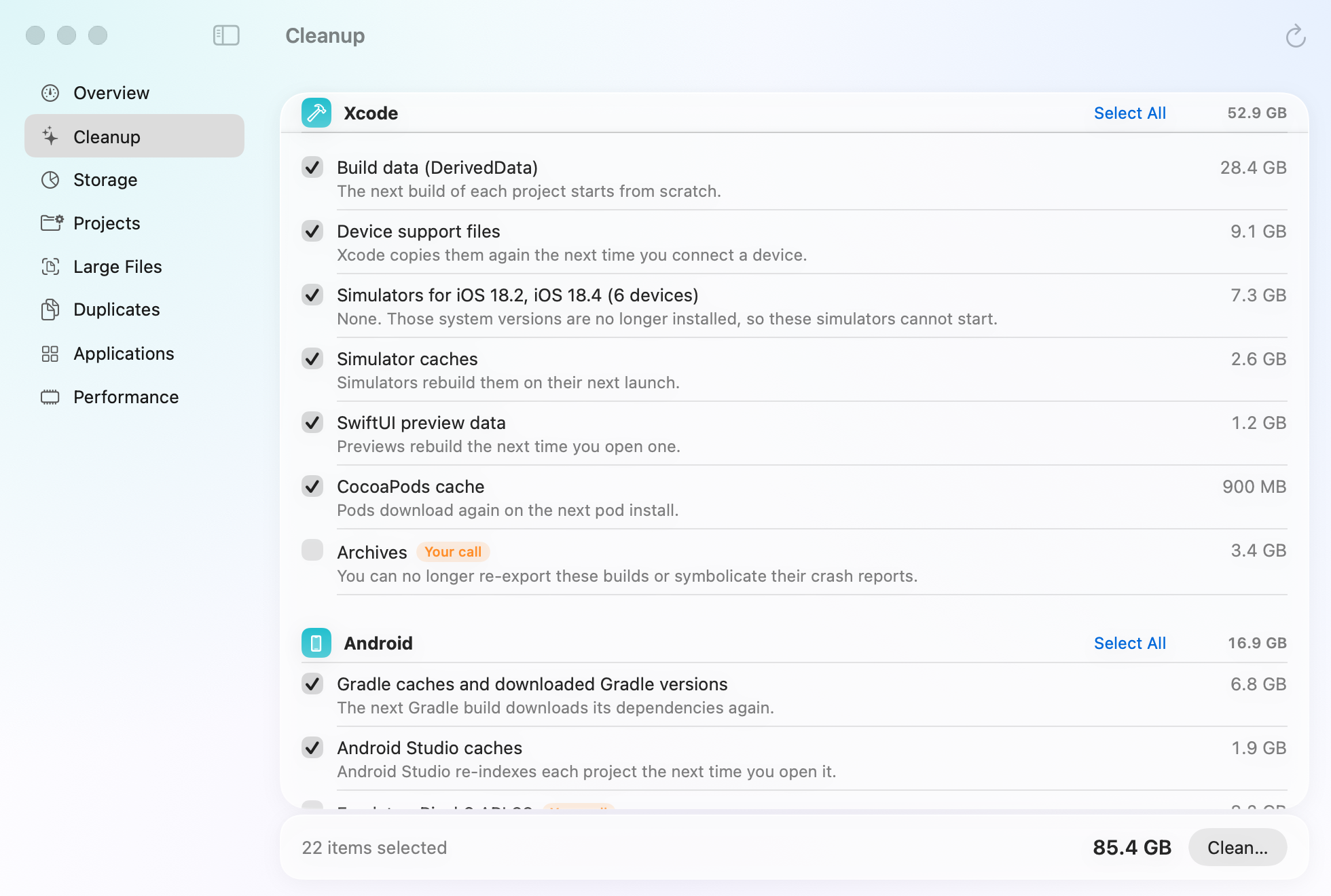
Build caches, each with what removing it means
Xcode's DerivedData, device support files, simulators and SwiftUI previews. Gradle caches, Android Studio caches and emulators. npm and Yarn caches, Puppeteer and Playwright browsers, and Node build caches. Old Flutter SDKs and the Pub cache, Homebrew downloads, JetBrains IDE caches, and the pip, Go and Cargo caches. Anything you might want back, like Xcode archives or an emulator, is marked Your call and left unticked. The Storage section adds up all Xcode keeps, simulator runtimes included, and says where to remove the runtimes you no longer test on.
Old projects and merged worktrees
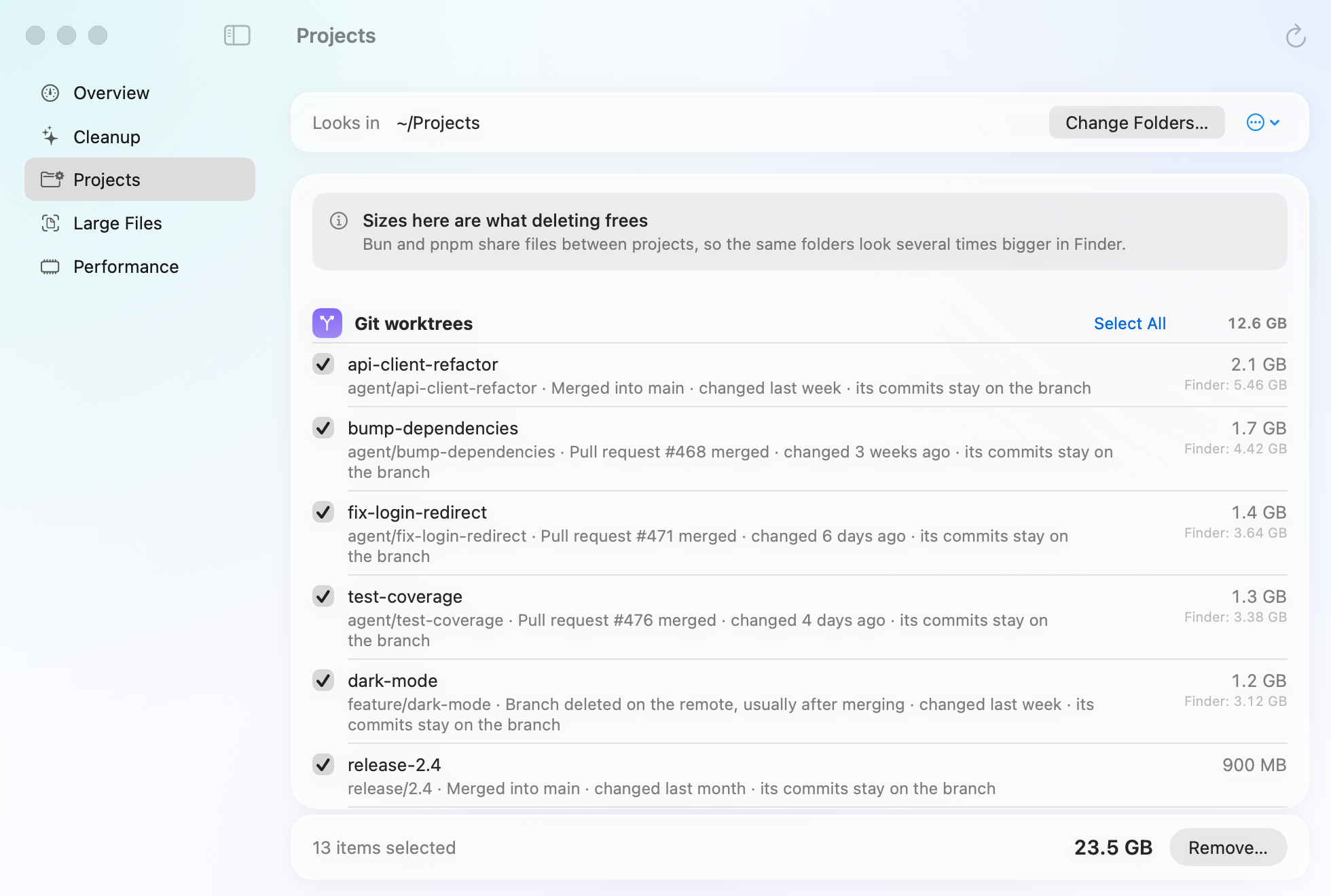
The Projects section looks through the folders you keep code in for generated folders: node_modules, .next, .turbo, Pods, target, .build, .gradle, .venv and more. It ticks them in projects you haven't touched for 30 days, except Python environments, which are your call. bun and pnpm share files between projects, so Mopup counts shared files once and shows what deleting really frees.
It also finds git worktrees you're done with. A worktree counts as finished when its branch is merged, or its pull
request merged on GitHub (asked through your gh command, so squash merges count), and it holds nothing but
generated files. Removal runs git worktree remove, never --force: anything uncommitted stops it, and
the branch and its commits stay.
The dev servers nobody stopped
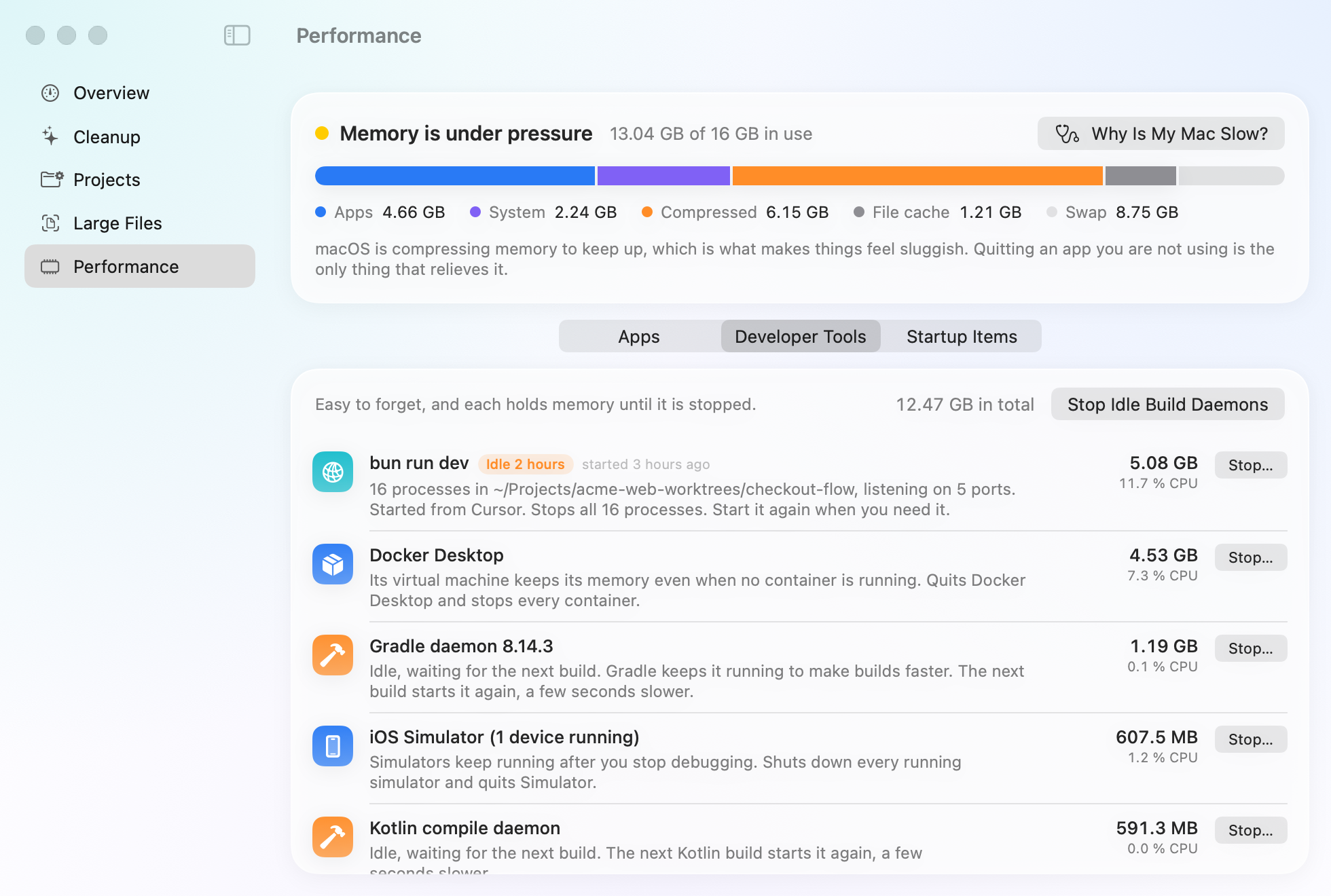
Activity Monitor shows a dev server as dozens of separate processes. Mopup shows it as one row: the command, the folder it runs in, the ports it listens on, how long it has run and sat idle, and the app it was started from, such as your terminal or editor. Stop it, and everything it started stops too.
- Helpers like workerd and esbuild that kept running after their dev server quit.
- Gradle and Kotlin daemons, language servers, emulators and simulators, with one button for the idle build daemons.
- A notification when a dev server has sat idle for hours, or let Mopup stop idle servers by itself.
Docker, through Docker
Mopup asks Docker what its build cache, stopped containers, unused images and volumes take, and has Docker do the pruning. Only the build cache is ticked for you. Docker Desktop's memory shows next to your other developer tools, with a Stop button.
Built not to touch your work
- Source code, git history and documents are never part of a cleanup.
- A worktree with anything uncommitted is never removed.
- Caches and build output are deleted for good, since your tools rebuild them. Files and apps you pick yourself go to the Trash.
- Scanning and cleaning happen on your Mac. Only update checks, asking GitHub which pull requests merged and, with a yearly plan, fetching your renewed license use the network.
Pricing
Free to scan, and your first 2 GB of cleaning is free. Then $24.99 a year, or one payment of $39 if you buy by ($59 after). Both cover every Mac you own. Team plans cover 5 or 10 people. See plans.
Guides for developers
- How to clear Xcode DerivedData and simulatorsWhat each Xcode folder holds, which are safe to delete, and the commands that clear them.
- How to free up Docker Desktop disk spaceSee what fills Docker's disk image and reclaim space with Docker's own prune commands.
- How to find and delete old node_modulesFind every node_modules folder and its size, remove the ones you don't need, and clear package caches.