 Mopup
Mopup › Guides › Coding agent worktrees
How to clean up the worktrees Claude Code, Cursor and Codex leave behind
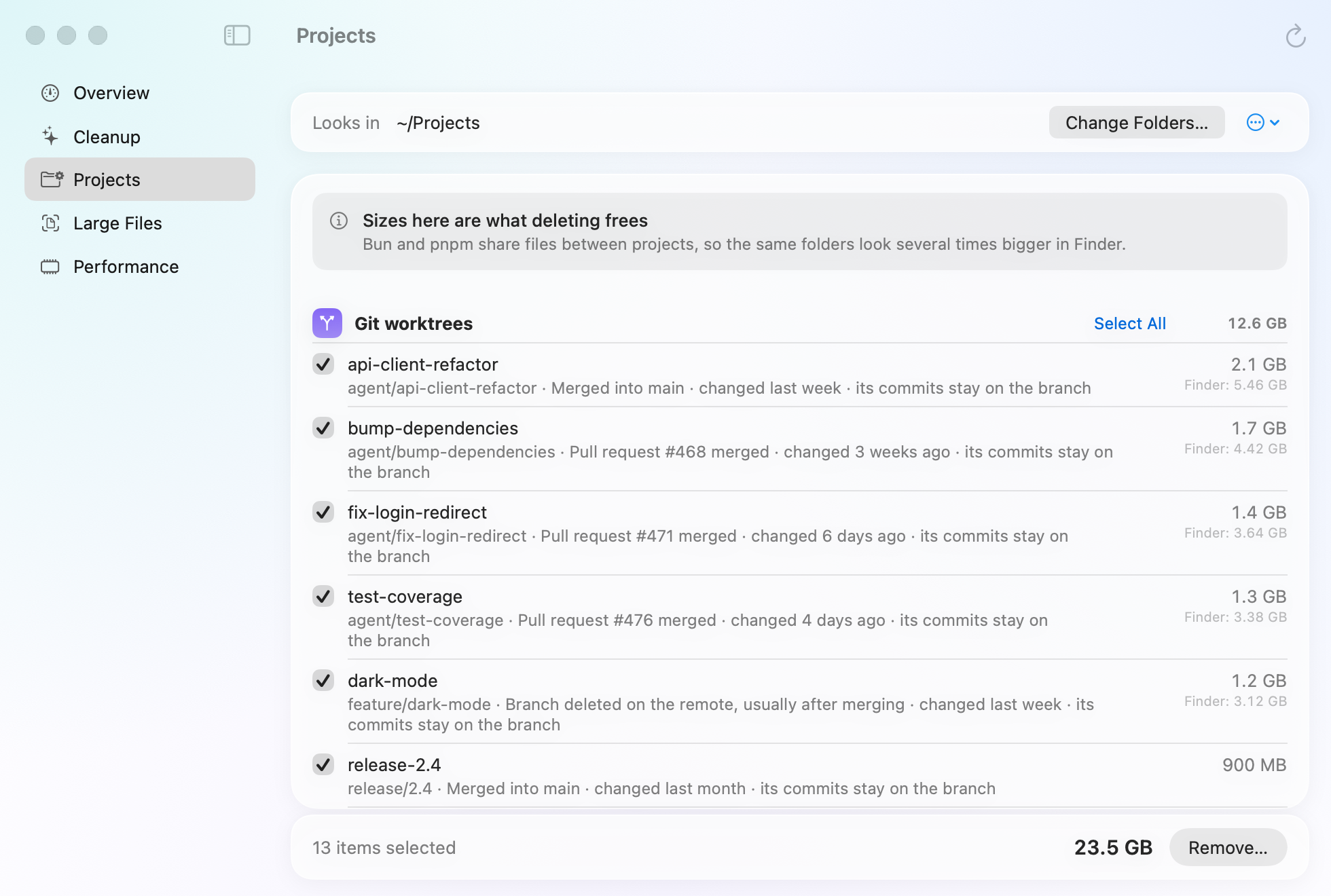
Coding agents work in git worktrees so several can run at once. Each worktree is a full checkout with its own node_modules and build output, and each tool cleans up only its own, by count or by age. They add up quietly, often to tens of gigabytes.
How much space they take
A worktree costs what a fresh clone costs once its dependencies are installed. Some measured examples:
- A Laravel project: about 530 MB of node_modules and 350 MB of vendor per worktree, so ten worktrees took 9.9 GB (Mattias Geniar).
- A Rails app with about 1.3 GB of node_modules per checkout: 61 Codex worktrees took about 100 GB (Codex issue 35383).
- A Claude Code user found 27 forgotten worktrees using 80 GB (Claude Code issue 63087).
Where each agent keeps them
| Tool | Where its worktrees are | What it cleans up by itself |
|---|---|---|
| Claude Code | .claude/worktrees/<name> inside your repository, on a branch called worktree-<name> |
When you exit, it removes a clean worktree from an unnamed session, and asks about named ones or ones with changes. Worktrees from subagents and background sessions are swept after 30 days unless they hold work. |
| Claude Code desktop app | .claude/worktrees inside your project, unless you change Worktree location in its settings |
Removes a leftover worktree about 30 days after its session is archived or last opened. It can also archive sessions once their pull request merges. |
| Cursor | ~/.cursor/worktrees/<repository>/<name> |
Keeps the newest 25 on your Mac by default and deletes older ones. Archiving an agent deletes its worktree about 30 seconds later. |
| Codex | ~/.codex/worktrees, on a detached HEAD rather than a branch |
Keeps your 15 most recent Codex worktrees, and deletes one when you archive its chat, after taking a snapshot. |
Sources: Anthropic's docs on worktrees and the
desktop app, Cursor's
worktree settings, and OpenAI's
Codex worktrees page. Details change between
versions. Bug reports say older Claude Code versions used ~/.claude-worktrees, so look there too.
The automatic cleanups don't catch everything, and they have deleted work people wanted: a git-ignored folder of images (issue 98186) and submodule changes nobody had pushed (issue 107997). Cursor's documentation doesn't promise to keep worktrees with uncommitted changes, so commit or stash before you archive an agent.
See every worktree and its size
From inside a repository, list its worktrees, wherever the agent put them:
git worktree listTo see how big they are, without changing anything:
du -sh .claude/worktrees/* 2>/dev/null | sort -h
du -sh ~/.cursor/worktrees/*/* 2>/dev/null | sort -h
du -sh ~/.codex/worktrees/* 2>/dev/null | sort -h
Run the first line inside each repository you use Claude Code in. The other two cover every repository at once.
Check a worktree is finished
In these commands, <path> is the worktree's folder and <branch> its branch. Use
your repository's main branch name if it isn't main.
Nothing uncommitted. This prints nothing when the worktree is clean:
git -C <path> status --shortNothing you need among the ignored files. Removing a worktree also deletes files git ignores, such as
.env, node_modules and build output, without asking. List them first, and copy anything you
want to keep:
git -C <path> status --short --ignoredThe branch is merged. This prints nothing when every commit on the branch is already in main:
git log --oneline main..<branch>Squash merges on GitHub leave the branch's commits out of main, so the command above still lists them. Ask GitHub
instead, with the gh command:
gh pr list --head <branch> --state merged --json number,headRefOid
git rev-parse <branch>
If a merged pull request's headRefOid matches the second line, everything on the branch went into that
pull request.
For Codex worktrees, which aren't on a branch, check that no commit exists only there. This prints nothing when every commit is also on a branch or a remote:
git -C <path> log --oneline HEAD --not --branches --remotesRemove it
Close the agent session that uses the worktree first. Then, from the repository:
git worktree remove <path>Git refuses if the worktree has uncommitted changes or untracked files, which is what you want. The branch stays, so
nothing committed is lost. Once you no longer need the branch, delete it with git branch -d <branch>,
which refuses if the branch isn't merged. After a squash merge git still sees it as unmerged; once gh has
confirmed the merge, git branch -D <branch> deletes it.
- "Locked" error: runs such as
claude -pcan leave a worktree locked. If no session is using it, unlock it withgit worktree unlock <path>and remove it again. - Avoid
--force: it removes the worktree even with uncommitted work in it. Use it only after the checks above. - Deleted the folder by hand? Git still lists it.
git worktree pruneclears those entries, andgit worktree prune -nshows what it would clear.
Codex crash reports filling up?
Some versions of the Codex app saved crash reports so fast that one user's folder grew by 4.9 GB and 54,504 files in a day (Codex issue 25921). OpenAI says a fix has been merged. To check, run:
du -sh ~/Library/Application\ Support/Codex/Crashpad/pending \
  ~/Library/Application\ Support/com.openai.codex/web/Crashpad/pending 2>/dev/null
If it's large, quit Codex, open the folder in Finder with Go › Go to Folder, and move the files inside
pending to the Trash. People who reported the bug freed the space this way.
Keep them from piling up
- Claude Code: set
cleanupPeriodDayslower than its default of 30 to sweep finished subagent and background worktrees sooner. It never sweeps ones that still hold work. In the desktop app, turn on Auto-archive after PR merge or close. - Cursor: lower
cursor.worktreeMaxCount, which is 25 by default, and commit or stash before archiving agents. - Codex: lower the limit of 15 kept worktrees in the app's settings.
- Share dependencies: with pnpm,
virtualStoreType: globallets worktrees share one package store instead of a full node_modules each (pnpm's guide).
Related guides
- How to find old coding projects taking up spaceFind the projects you've stopped working on, see what their dependencies and build folders hold, and clear them safely.
- How to find and delete old node_modulesFind every node_modules folder and its size, remove the ones you don't need, and clear package caches.
- How to free up Docker Desktop disk spaceSee what fills Docker's disk image and reclaim space with Docker's own prune commands.