 Mopup
How to find old coding projects taking up space on your Mac
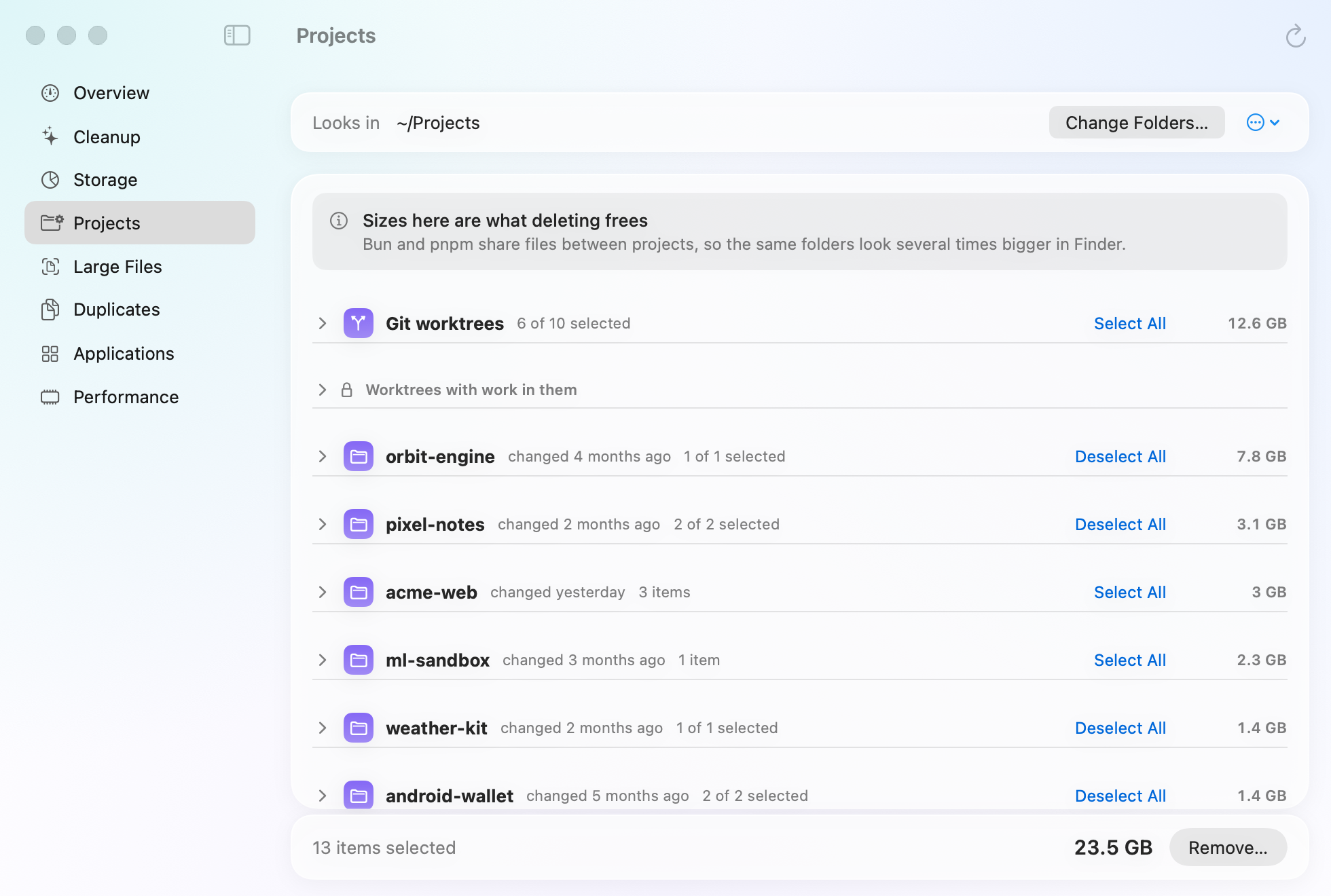
Every project you've built keeps its dependencies and build output long after you stop working on it. On the Mac Mopup is made on, its Projects section turned up a lot of old projects, a few of them long forgotten, and cleaning them up freed more than 25 GB.
What old projects leave behind
Package managers and build tools fill each project with folders they can make again: installed packages, compiled output and caches. They stay when you move on, and a single one can run to several gigabytes. These are the usual ones, and how each comes back:
| Folder | What it is | How it comes back |
|---|---|---|
node_modules | Node packages | Install the project's packages again with npm, pnpm, Bun or Yarn. |
.next, .nuxt, .svelte-kit | Next.js, Nuxt and SvelteKit build output | The next build or dev run. |
target | Rust or Maven build output | The next cargo build or Maven build. |
build, .gradle | Gradle build output and project cache | The next Gradle build. |
build, .dart_tool | Flutter build output and Dart tool files | flutter pub get, or the next flutter run. |
Pods | CocoaPods | pod install. |
.build | Swift build output | The next swift build. |
.venv, venv | Python environments | Only if you create it again and reinstall the packages. |
Deleting them leaves your code and its git history as they are. A folder's name isn't proof, though:
build is only Flutter's with a pubspec.yaml beside it, and target is only Rust's
or Maven's next to a Cargo.toml or pom.xml. Check before you delete one with a common
name.
Find the projects you've stopped working on
The date that matters is when you last changed a project's own files. Finder's Date Modified isn't it: a folder's date
only changes when something directly inside it is added, removed or renamed. For a git repository, the last commit is
a good guide. This lists the projects in ~/Projects by their last commit, oldest first, and changes
nothing:
for d in ~/Projects/*/; do echo "$(git -C "$d" log -1 --format=%cs 2>/dev/null || echo none) $d"; done | sortProjects that aren't git repositories show as none. Change ~/Projects to wherever you keep
your code.
See how much each one holds
This lists the 20 biggest of those folders under ~/Projects, smallest first, and changes nothing:
find ~/Projects \( -name node_modules -o -name target -o -name .venv -o -name venv -o -name Pods -o -name .build -o -name .gradle -o -name .next \) -type d -prune -exec du -sh {} + 2>/dev/null | sort -h | tail -20The sizes can mislead. pnpm and Bun don't copy packages into each project: they link or clone them from one shared
store, so the same files show up in every project's node_modules, and Finder and du count
them each time. Deleting one of those folders frees less than its size suggests.
Finished git worktrees
If you use git worktrees, for example for coding agents that each work in a checkout of their own, every finished one
is a whole copy of the project, often with its own node_modules. List them from the main checkout, and
remove one with git, which refuses if it holds uncommitted work and keeps its branch and commits:
git worktree list
git worktree remove ../my-app-feature
Before you delete
- Leave the projects you're working on. Their folders would only be rebuilt the next time you run them.
- Python environments take longer to come back. You create each one again and reinstall its packages.
- Deleting a whole project is different. Make sure its code is pushed or backed up first: nothing rebuilds that.
Related guides
- How to find and delete old node_modulesFind every node_modules folder and its size, remove the ones you don't need, and clear package caches.
- How to clear Xcode DerivedData and simulatorsWhat each Xcode folder holds, which are safe to delete, and the commands that clear them.
- How to free up Docker Desktop disk spaceSee what fills Docker's disk image and reclaim space with Docker's own prune commands.